Table of Contents
- What Is a CE Tracker?
- Why Therapists Need a CE Tracker
- The Problem With Spreadsheets and Manual Tracking
- CE Tracker vs. Manual Tracking
- Key Features of a Good CE Tracker
- CE Tracker Features at a Glance
- How a CE Tracker Simplifies License Renewal
- Best Practices for Tracking Continuing Education
- The Benefits of Using a Dedicated CE Tracker
- Who Can Benefit From a CE Tracker?
- The Future of CE Tracking for Mental Health Professionals
- Explore Therapy Trainings®
- Final Thoughts
- FAQs
CE Tracker for Therapists: The Smartest Way to Track Continuing Education Hours
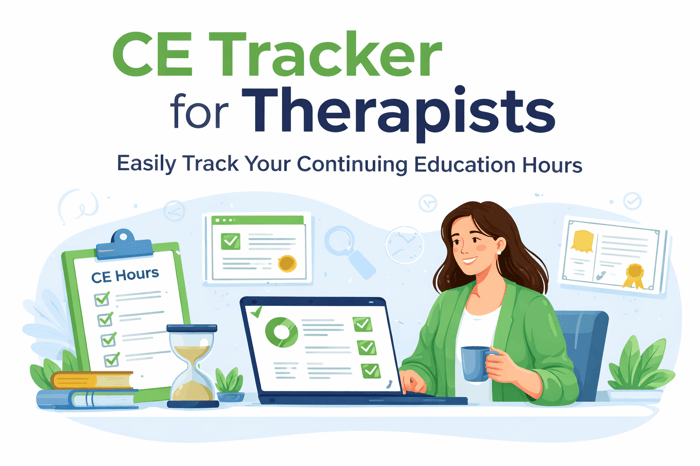
The CE Tracker is the newest CE tracking tool from Therapy Trainings®.
For therapists, counselors, social workers, psychologists, and addiction professionals, continuing education is an essential part of maintaining a professional license. Every renewal cycle requires clinicians to complete a certain number of continuing education (CE) hours, often with specific topic requirements such as:
Ethics
Supervision
Cultural competence
Suicide prevention
While continuing education is designed to keep clinicians informed and competent, the process of tracking CE hours can quickly become frustrating and time-consuming.
Certificates get buried in email folders, spreadsheets become difficult to manage, and when license renewal approaches, many clinicians find themselves scrambling to determine whether they have completed enough CE hours.
This is why many professionals are now using a CE tracker instead of relying on spreadsheets or paper records. A dedicated CE tracker allows clinicians to track their continuing education hours in one place, store certificates securely, and generate organized reports for license renewal.
What Is a CE Tracker?
A CE tracker is a tool designed to help licensed professionals monitor and organize their continuing education activities.
Instead of manually recording CE hours across multiple documents or folders, a CE tracker provides a centralized system where clinicians can:
Log completed courses
Store certificates
Track progress toward license renewal requirements
Organize courses by category
Maintain records for multiple licenses
For mental health professionals who complete CE hours from multiple providers throughout a renewal cycle, a CE tracker simplifies the entire process.
Each course can be recorded with details such as:
Course title
Provider
Completion date
Category
Hours earned
Some CE trackers also allow clinicians to upload certificates, assign courses to renewal cycles automatically, and generate reports that can be used for license renewal or licensing board audits.
Why Therapists Need a CE Tracker
Most therapists earn continuing education credits from a variety of sources. A clinician might:
Complete several online courses
Attend a professional conference
Participate in webinars
Complete workshops offered by professional associations
Earn training hours through different CE providers
Because CE activities occur across multiple platforms and providers, tracking them manually can be challenging.
A CE tracker helps solve several common problems clinicians encounter.
Tracking CE Hours Across Multiple Providers
One of the biggest challenges clinicians face is managing continuing education hours from different providers.
Some CE providers send certificates through email, while others require users to download them from online portals. Over time, certificates can end up scattered across:
Email inboxes
Computer folders
Cloud storage services
Provider accounts
Paper files
A CE tracker eliminates this problem by allowing clinicians to store all continuing education records in one location.
Every course entry includes the necessary information for renewal documentation, making it easy to view completed courses and track progress.
Managing Category Requirements
Many states require CE hours in specific topic areas.
For example, a state licensing board may require:
Three hours of ethics training
Two hours of cultural competence training
Specific coursework related to supervision
Suicide prevention training
Law or professional-practice training
When clinicians track CE hours manually in spreadsheets, they often have to create separate columns and formulas to calculate category requirements.
A dedicated CE tracker simplifies this process by organizing CE hours by category automatically.
Clinicians can also review continuing education requirements by state when planning their renewal-cycle training.
Preparing for Licensing Board Audits
Licensing boards periodically conduct audits to verify that clinicians have completed the required continuing education hours.
During an audit, clinicians may need to provide documentation showing every course completed during a renewal cycle.
Without a CE tracker, clinicians may need to search through old emails and folders to locate certificates. With a centralized system, every CE entry and certificate is already organized and easily accessible.
Tools such as a dedicated CE tracker help clinicians keep audit-ready records at all times, reducing the stress of last-minute documentation.
Professionals should still review the specific record-retention and audit requirements established by their licensing or credentialing body. Counselors may consult the National Board for Certified Counselors, while social workers can review information from the Association of Social Work Boards.
The Problem With Spreadsheets and Manual Tracking
Many clinicians begin tracking their CE hours using spreadsheets such as Excel or Google Sheets.
While spreadsheets can work initially, they often become difficult to manage as the number of completed courses grows.
Manual CE tracking introduces several limitations.
Time-Consuming Data Entry
Every course must be entered manually, including the:
Course title
Provider
Completion date
Number of hours
Training category
Renewal cycle
Over time, this becomes tedious and increases the likelihood of errors.
No Certificate Storage
Spreadsheets do not provide a convenient place to store certificates.
Clinicians must still maintain separate folders for certificate files, which can quickly become disorganized.
No Automatic Renewal-Cycle Management
Spreadsheets do not automatically determine which courses belong to a specific renewal cycle.
Clinicians must manually verify whether a course was completed within the appropriate period.
For these reasons, many clinicians eventually transition from spreadsheets to a more specialized continuing education tracker for therapists that automates these tasks.
CE Tracker vs. Manual Tracking
| Tracking Need | Spreadsheet or Paper Records | Dedicated CE Tracker |
|---|---|---|
| Course-hour tracking | Requires manual entry and calculations | Organizes hours in one system |
| Certificate storage | Requires separate folders | Certificates can be attached to course records |
| Category tracking | Requires custom columns or formulas | Courses can be organized by category |
| Renewal-cycle tracking | Must be calculated manually | Progress can be tracked by renewal period |
| Multi-license support | Often requires separate files | Licenses can be organized separately |
| Audit preparation | Requires gathering files manually | Records and certificates remain centralized |
| Report generation | Must be built manually | Organized reports can be generated more easily |
Key Features of a Good CE Tracker
When evaluating a CE tracker, clinicians should look for features designed specifically for continuing education management.
Renewal-Cycle Tracking
A CE tracker should allow users to enter license renewal dates and required CE hours.
Once this information is entered, the system automatically tracks progress toward meeting renewal requirements.
Certificate Storage
A built-in certificate vault allows clinicians to upload and store CE certificates directly within their account.
Each certificate can be attached to its corresponding course entry.
Category Tracking
Because many states require CE hours in specific topic areas, a CE tracker should support categories such as:
Ethics
Supervision
Cultural competence
Suicide prevention
General training hours
State-specific requirements
Audit-Ready Reports
One of the most valuable features of a CE tracker is the ability to generate professional reports showing all CE hours completed during a renewal cycle.
These reports can often be exported as PDFs or spreadsheets for easy submission during license renewal or an audit.
Multi-License Support
Many clinicians hold multiple licenses or credentials across different states.
A CE tracker should support separate renewal cycles with different requirements for each license.
A specialized CE tracker for therapists is designed to support these features while keeping the interface simple and easy to use.
CE Tracker Features at a Glance
| Feature | How It Helps Clinicians |
|---|---|
| Renewal-cycle tracking | Monitors progress toward required hours |
| Certificate storage | Keeps documentation connected to each course |
| Category tracking | Organizes ethics, supervision, cultural competence, and other hours |
| Audit-ready reports | Creates an organized summary of completed training |
| Multi-license support | Separates requirements for different credentials or states |
| Centralized records | Reduces the need to search multiple folders and provider accounts |
How a CE Tracker Simplifies License Renewal
License renewal is one of the most stressful times for clinicians who manage their CE records manually.
As the renewal deadline approaches, many professionals must review:
Multiple spreadsheets
Email folders
Downloaded certificates
Provider accounts
Computer file directories
They must then determine whether they have completed the required hours and topic-specific training.
A CE tracker simplifies the renewal process dramatically.
When renewal time arrives, clinicians can simply generate a report that lists every course completed during the renewal cycle. Because certificates are stored within the system, all required documentation is available immediately.
Instead of spending hours assembling records, clinicians can complete renewal documentation in minutes.
Clinicians looking for additional training can also browse Therapy Trainings® CE courses or review the available continuing education resources.
Best Practices for Tracking Continuing Education
Even with a CE tracker, clinicians should follow several best practices to maintain organized records.
1. Log Courses Immediately
The easiest way to maintain accurate CE records is to log courses immediately after completion.
Waiting several weeks or months increases the risk of forgetting course details or losing certificates.
Record information such as:
Course name
Provider
Completion date
Hours earned
Training category
Approval information, when applicable
2. Upload Certificates
Uploading certificates at the time a course is logged ensures that documentation is always attached to the correct entry.
This reduces the risk of losing certificates or storing them under unclear file names.
3. Monitor Progress Regularly
Checking CE progress periodically throughout the renewal cycle helps clinicians avoid the last-minute rush to complete required hours.
Consider reviewing progress:
Quarterly
At the midpoint of the renewal cycle
Before registering for new courses
Several months before the renewal deadline
4. Maintain Backup Records
While a CE tracker provides secure storage, exporting CE data periodically ensures that clinicians always have access to their continuing education history.
Backup records may include:
Exported reports
Downloaded certificates
Cloud-storage copies
A folder organized by renewal cycle
5. Verify Licensing Requirements
Clinicians are responsible for confirming the requirements that apply to their profession, license, and jurisdiction.
Before relying on a course for renewal, verify:
The number of required hours
Mandatory topic areas
Accepted course formats
Provider-approval requirements
Renewal-cycle dates
Certificate-retention rules
Social workers can review ASWB continuing education resources, while counselors can review NBCC certification resources.
The Benefits of Using a Dedicated CE Tracker
Using a CE tracker provides several advantages compared with manual tracking methods.
Centralized Records
First, it centralizes continuing education records in one location.
This eliminates the need to search through multiple folders, inboxes, provider portals, or documents.
Reduced Administrative Stress
Second, it reduces administrative stress.
Clinicians no longer need to worry about whether they have met category requirements or whether a course falls within the correct renewal cycle.
Simpler License Renewal
Third, it simplifies license renewal.
With organized CE records and audit-ready reports, clinicians can complete renewal documentation quickly and confidently.
Many professionals are now choosing to track CE hours with a dedicated CE tracker instead of relying on spreadsheets or manual tracking systems.
Who Can Benefit From a CE Tracker?
A CE tracker may be useful for:
Licensed professional counselors
Clinical social workers
Marriage and family therapists
Psychologists
Addiction professionals
Case managers
Clinical supervisors
Behavioral health professionals
Clinicians with licenses in multiple states
Professionals managing more than one credential
The Future of CE Tracking for Mental Health Professionals
As the mental health field continues to evolve, clinicians are increasingly relying on digital tools to manage professional requirements.
Continuing education tracking is one area where technology can significantly reduce administrative burden.
A CE tracker allows clinicians to focus more on learning and professional development rather than paperwork and recordkeeping.
For therapists, counselors, social workers, psychologists, and addiction professionals who want a simpler way to manage continuing education requirements, a CE tracker provides an organized and reliable solution.
Instead of scrambling to locate certificates or calculate CE hours during license renewal, clinicians can maintain an accurate, centralized record of their continuing education activities throughout the entire renewal cycle.
With the right CE tracker in place, staying compliant with licensing requirements becomes far easier and far less stressful.
Explore Therapy Trainings®
Therapy Trainings® provides online continuing education for counselors, therapists, social workers, psychologists, addiction professionals, case managers, and other behavioral health providers.
Explore these resources:
Final Thoughts
A CE tracker gives mental health professionals a practical way to manage course hours, certificates, categories, and renewal cycles in one place.
Instead of relying on scattered files or complicated spreadsheets, clinicians can keep organized records throughout the entire renewal period.
For therapists and other licensed professionals, a dedicated CE tracker can make license renewal easier, reduce administrative stress, and provide greater confidence that continuing education documentation is complete and accessible.
FAQs
What is a CE tracker?
A CE tracker is a tool that helps therapists and other licensed professionals organize continuing education activities in one place. It can be used to record course details, track completed hours, store certificates, and monitor progress toward license renewal requirements.
Why should therapists use a CE tracker instead of a spreadsheet?
A CE tracker is designed specifically for continuing education management. Unlike a basic spreadsheet, it may support certificate storage, renewal-cycle tracking, category organization, multiple licenses, and audit-ready reporting.
What features should a good CE tracker include?
Useful features include renewal-date tracking, CE-hour monitoring, certificate uploads, category tracking, multi-license support, and downloadable reports for license renewal or board audits.
How does a CE tracker simplify license renewal?
A CE tracker keeps course records and certificates organized throughout the renewal cycle. When renewal time arrives, clinicians can review their completed hours and generate a report without searching through emails, folders, or multiple spreadsheets.