Table of Contents
- Why CE Requirements Matter
- A Simple Solution for Complex CE Rules
- National vs. State-Specific CE Requirements
- Professionals Who Use This Tool to Stay Compliant
- Stay Compliant, Use the CE Requirements Lookup Tool
- Ready to Get Started?
- FAQs About Continuing Education Requirements for Mental Health Professionals
- FAQs
Keeping up with continuing education (CE) requirements is essential for every licensed therapist, counselor, psychologist, and social worker, but finding the exact requirements for your license type and state can be a confusing and time-consuming process.
Are you confused about your CE requirements? You’re not alone, and that’s exactly why we created a free CE Requirements Lookup Tool. This tool helps you instantly find what you need to stay compliant with your licensing board, no matter where you practice in the U.S.
You can use it on your phone, tablet, or computer, anytime, anywhere.
Why CE Requirements Matter
If you're a therapist, failing to meet your CE requirements can lead to:
License renewal delays or denials
Costly late fees
Missed ethical or legal training updates
Loss of board certification
Each U.S. state has its own rules for:
Total CE hours required
Renewal cycles (annually, biennially, etc.)
Mandatory training topics like ethics, suicide prevention, or cultural competency
And those rules vary by license: LCSWs, LMFTs, LPCs, psychologists, and addiction counselors often have completely different requirements, even within the same state.
A Simple Solution for Complex CE Rules
Instead of combing through multiple state board websites or reading PDFs, use our CE Lookup Tool to:
Instantly find CE requirements for your license and state
Get a breakdown of hours, topics, and deadlines
View updates pulled directly from licensing boards
Save your license info for quick access later
By using this CE lookup tool, you can check your continuing education requirements instantly, anytime, anywhere.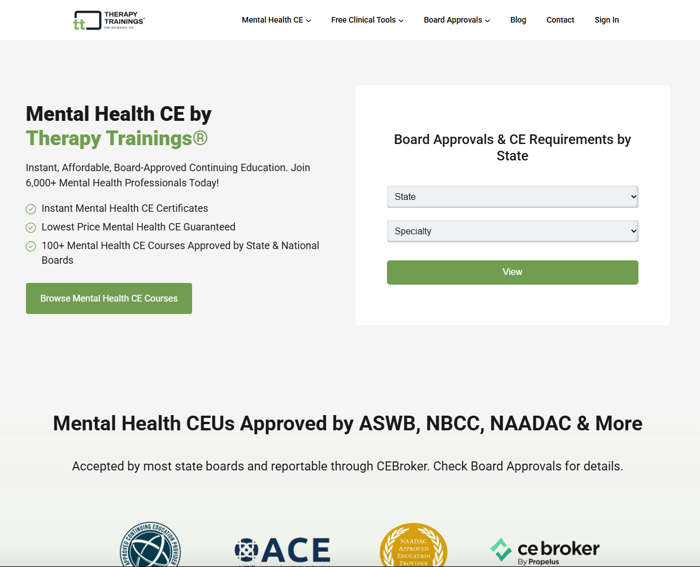
How to Use the CE Lookup Tool to Find Your Requirements
Here’s how easy it is to use no sign-up, no hassle, just instant access to your CE requirements.
In just three steps:
1. Select your state.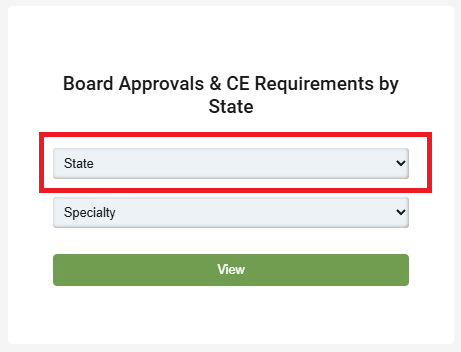
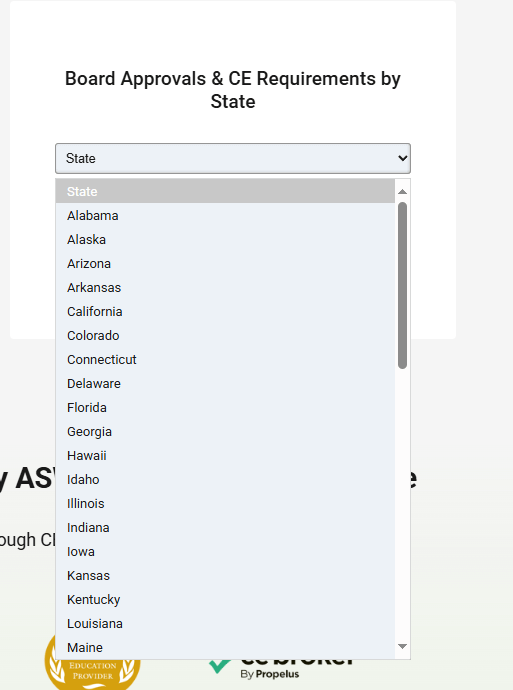
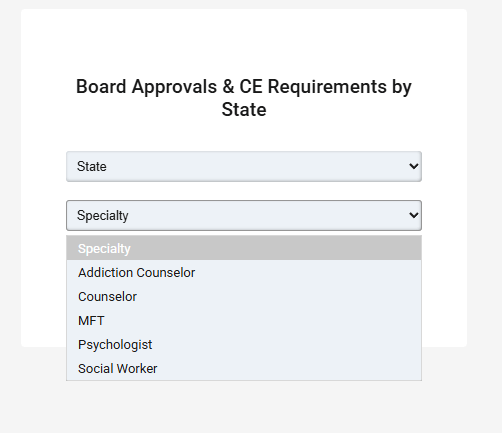
2. Choose your license/specialty type
(e.g. Addiction Counselor, Counselor, MFT, Psychologist, Social Worker.)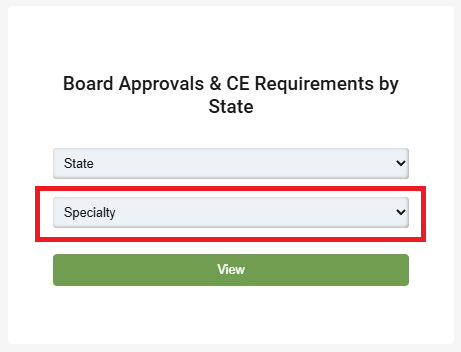
3. Then Click View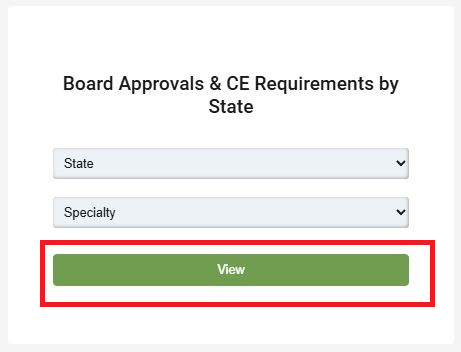
Our CE Requirements Lookup Tool helps you find your license requirements in less than a minute.
Please click this link to check yours now! https://www.therapytrainings.com/
How to Choose the Right CEU Courses for Your License
With so many courses available, professionals often ask which CE courses are best. Here are a few tips to ensure you're selecting the right ones:
Prioritize board-approved courses
Always check that the course provider is approved by your state licensing board.
Double-check topic requirements
Many states mandate training in specific areas such as ethics, suicide prevention, or cultural humility. Make sure you're covering all necessary topics.
Use the CE Lookup Tool
Verify your state's required topics and hour breakdown before enrolling.
- Look for niche alignment
Choose courses relevant to your specialty, such as trauma therapy, addiction counseling, or child and family work. This ensures your CE supports both compliance and career growth.
Can I Carry Over Extra CE Hours to the Next Cycle?
Some states allow CE credit carryover while others do not.
Example “I completed 40 CE hours but only needed 30, can I roll over the extra 10?”
Use the CE Requirements Lookup Tool to check your state’s rules on carryover limits. Each state has its own policies, and knowing in advance can help you plan your learning strategically.
What If You Miss Your CE Deadline?
Missing your continuing education deadline can lead to serious consequences, including:
License suspension
Reinstatement or late renewal fees
Disciplinary action from your licensing board
Requirements to retake specific CE topics (e.g., ethics)
Avoid these setbacks by planning ahead. Using our CE Requirements lookup Tool early in your renewal cycle can help you stay organized, prevent costly mistakes, and ensure peace of mind.
Are CE Requirements the Same in Every State?
No. Each state has unique rules, even for the same license.
If you’re licensed in multiple states:
Use the CE Requirements Lookup Tool to compare side-by-side
Instantly review each state’s requirements so you don’t miss key differences.
Track deadlines and topic differences
Some states may require more CE hours or specific subjects.
Choose CE courses that satisfy all applicable boards when possible
This helps reduce duplication and saves time.
Multi-state licensing doesn’t have to mean double the work. Use the CE Lookup Tool to stay on top of every state’s expectation.
National vs. State-Specific CE Requirements
If you're credentialed by a national organization, like the NBCC, NASW, APA, or NAADAC, you may need to meet both national and state-specific CE requirements.
What's the Difference?
State Licensing Boards set the requirements for renewing your state license (e.g., LCSW in California, LPC in Texas).
National Certifying Bodies establish standards for maintaining board certifications (e.g., NCC, CADC, RPT).
Meeting one doesn’t always mean you’ve met the other. Failing to satisfy both could put your license or credentials at risk.
How to Stay Compliant
While our CE Requirements Lookup Tool helps you find your state requirements, you should also:
Check your national organization's CE guidelines
Verify if a course satisfies both state and national CE standards
Choose CE providers (like Therapy Trainings®) that are approved by both your licensing board and national certifier
Professionals Who Use This Tool to Stay Compliant
This tool is built for all behavioral health professionals in all 50 states, including:
Licensed Clinical Social Workers (LCSWs)
Licensed Marriage and Family Therapists (LMFTs)
Licensed Professional Counselors (LPCs)
Psychologists
Substance Use/Addiction Counselors
School Counselors
Behavioral Health Technicians
And others
Whether you’re licensed in California, Texas, New York, Florida, or any other state, you’ll get a tailored CE requirement breakdown that matches your profession.
When You Should Use the CE Lookup Tool
The CE Requirements Lookup Tool is designed to help you stay compliant and stress-free. Here are the best times to use it:
You're approaching your license renewal date
Don’t wait until the last minute! Quickly confirm how many CE hours you need, what topics are required, and which training qualifies so you can renew with confidence.You're applying for licensure in a new state
Every state has its own licensing board and requirements. Use the tool to easily compare CE rules across states and ensure you meet the criteria before submitting your application.You just got licensed and want to plan ahead
Start strong by knowing your CE responsibilities from day one. The tool helps new professionals stay proactive and avoid surprises when renewal time comes around.You offer CE-eligible training and want to align with board standards
If you're an educator, trainer, or CE provider, the tool can help you tailor your content to meet the exact requirements of different states and license types, boosting your course relevance and reach.
Stay Compliant, Use the CE Requirements Lookup Tool
Your career depends on maintaining an active license, so don’t leave your CE requirements to chance. Whether you're renewing soon or just want peace of mind, our CE Requirements Lookup Tool helps you stay compliant without the stress or research.
Check your CE requirements by license and state , it’s 100% free, no signup required.
Ready to Get Started?
Don’t let confusing CE requirements put your license at risk. Our CE Requirements Lookup Tool takes the guesswork out of staying compliant, helping you find your exact state and license requirements in under a minute.
Ready to renew with confidence? Click here to check your CE requirements now, no sign-up, no hassle.
Share this tool with your colleagues to help them stay on track too!
FAQs About Continuing Education Requirements for Mental Health Professionals
1. How accurate is the CE information?
We pull our data directly from official state licensing boards and update it regularly to reflect any changes.
2. Does this work for psychologists and addiction counselors too?
Yes! The tool supports most major behavioral health licenses.
3. Is there a cost to use the tool?
Nope, it’s completely free to use.
4. I’m newly licensed, do I still need CE hours?
Some states waive CE requirements during your first license renewal cycle, but others don’t. Use the tool to check whether you’re exempt or required based on your start date.
FAQs
What is the CE Requirements Lookup Tool?
The CE Requirements Lookup Tool is a free resource that helps mental health professionals find continuing education requirements based on their state and license type.
Which professionals can use the CE Requirements Lookup Tool?
The tool is designed for social workers, marriage and family therapists, professional counselors, psychologists, addiction counselors, school counselors, behavioral health technicians, and other licensed behavioral health professionals.
Does the tool show required CE topics and renewal deadlines?
Yes. It can help users review required CE hours, renewal cycles, mandatory training topics, carryover rules, and other state-specific licensing requirements.
Is the CE Requirements Lookup Tool free to use?
Yes. The tool is completely free and does not require users to create an account or sign up.